Audio & Transcription
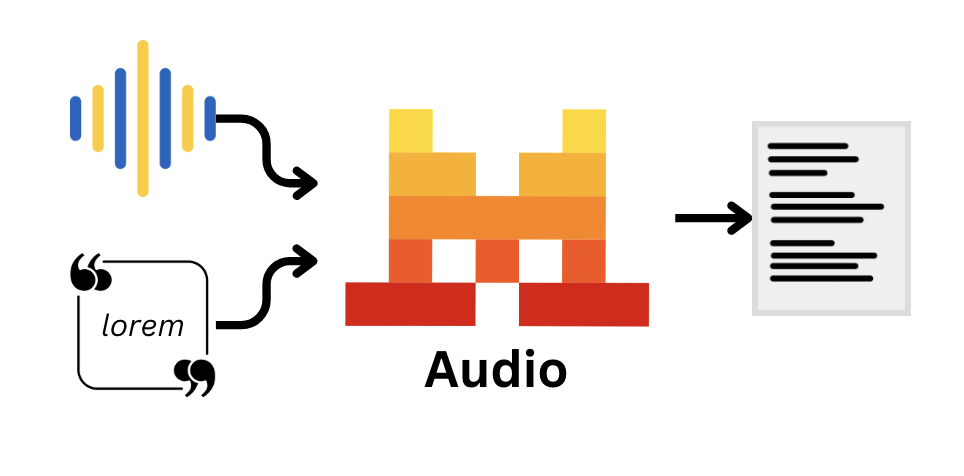
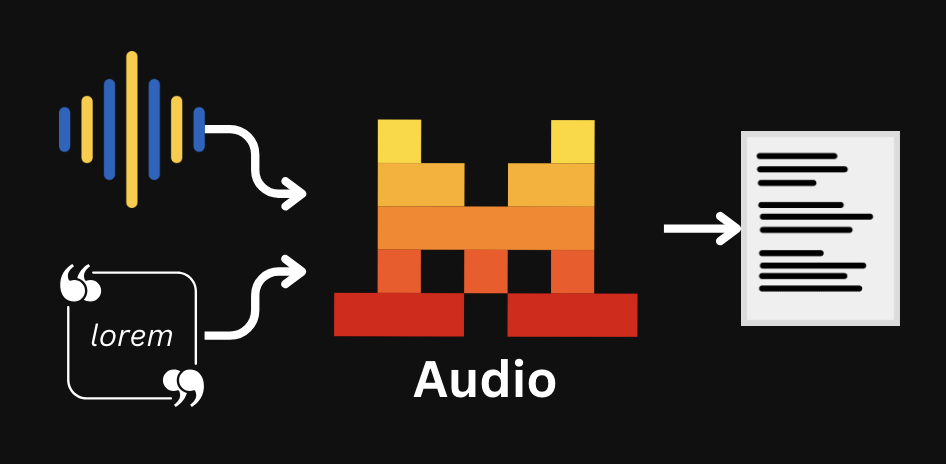
Audio input capabilities enable models to chat and understand audio directly, this can be used for both chat use cases via audio or for optimal transcription purposes.
Before You Start
Models with Audio Capabilities
Audio capable models:
- Voxtral Small (
voxtral-small-latest) with audio input for chat use cases. - Voxtral Mini (
voxtral-mini-latest) with audio input for chat use cases - And Voxtral Mini Transcribe (
voxtral-mini-latestviaaudio/transcriptions), with an efficient transcription only service.
voxtral-mini-latestfor chat points tovoxtral-mini-2507voxtral-mini-latestfor transcription points tovoxtral-mini-2602
For faster transcription time, we recommend uploading your audio files.
Chat with Audio
Use Audio with Instruction Following models
Our Voxtral models are capable of being used for chat use cases with our chat completions endpoint.
Before continuing, we recommend reading the Chat Completions documentation to learn more about the chat completions API and how to use it before proceeding.
To pass a local audio file, you can encode it in base64 and pass it as a string.
import base64
from mistralai import Mistral

api_key = os.environ["MISTRAL_API_KEY"]
model = "voxtral-mini-latest"

client = Mistral(api_key=api_key)

# Encode the audio file in base64
with open("examples/files/bcn_weather.mp3", "rb") as f:
    content = f.read()
audio_base64 = base64.b64encode(content).decode('utf-8')

chat_response = client.chat.complete(
    model=model,
    messages=[{
        "role": "user",
        "content": [
            {
                "type": "input_audio",
                "input_audio": audio_base64,
            },
            {
                "type": "text",
                "text": "What's in this file?"
            },
        ]
    }],
)Example Samples
Below you can find a few of the multiple use cases possible, by leveraging the audio capabilities of our models.

¡Meow! Click one of the tabs above to learn more.
Transcription
Transcribe any Audio
Transcription provides an optimized endpoint for transcription purposes and currently supports voxtral-mini-latest, which runs Voxtral Mini Transcribe.
Parameters
We provide different settings and parameters for transcription, such as:
timestamp_granularities: This allows you to set timestamps to track not only "what" was said but also "when". You can find more about timestamps here.diarize: This allows you to keep track of who is talking.context_bias: Provide up to 100 words or phrases to guide the model toward correct spellings of names, technical terms, or domain-specific vocabulary. Particularly useful for proper nouns or industry terminology that standard models often miss. Context biasing is optimized for English; support for other languages is experimental. You can find more about context biasing here.language: Our transcription service also works as a language detection service. However, you can manually set the language of the transcription for better accuracy if the language of the audio is already known.
Realtime: We provide a live transcription functionality. You can find more info about Realtime here.
Among the different methods to pass the audio, you can directly provide a path to a local file to upload and transcribe it as follows:
import os
from mistralai import Mistral

api_key = os.environ["MISTRAL_API_KEY"]
model = "voxtral-mini-latest"

client = Mistral(api_key=api_key)

with open("/path/to/file/audio.mp3", "rb") as f:
    transcription_response = client.audio.transcriptions.complete(
        model=model,
        file={
            "content": f,
            "file_name": "audio.mp3",
        },
        ## language="en"
)Example Samples
Below you can find a few examples leveraging the audio transcription endpoint.
¡Meow! Click one of the tabs above to learn more.
Transcription with Timestamps
You can request timestamps for the transcription by passing the timestamp_granularities parameter, currently supporting segment and word.
It will return the start and end time of each segment in the audio file.
timestamp_granularities is currently not compatible with language, please use either one or the other.
import os
from mistralai import Mistral

api_key = os.environ["MISTRAL_API_KEY"]
model = "voxtral-mini-latest"

client = Mistral(api_key=api_key)

transcription_response = client.audio.transcriptions.complete(
    model=model,
    file_url="https://docs.mistral.ai/audio/obama.mp3",
    timestamp_granularities=["segment"] # or "word"
)Context biasing
Provide up to 100 words or phrases to guide the model toward correct spellings of names, technical terms, or domain-specific vocabulary. Particularly useful for proper nouns or industry terminology that standard models often miss. Context biasing is optimized for English; support for other languages is experimental.
import os
from mistralai import Mistral

api_key = os.environ["MISTRAL_API_KEY"]
model = "voxtral-mini-2602"

client = Mistral(api_key=api_key)

with open("/path/to/file/audio.mp3", "rb") as f:
    transcription_response = client.audio.transcriptions.complete(
        model=model,
        file_url="https://docs.mistral.ai/audio/obama.mp3",
        context_bias="Chicago,Joplin,Boston,Charleston,farewell_address,self-government,citizenship,democracy,American_people,cancer_survivors,affordable_health_care,wounded_warriors,refugees,elected_officials,American_spirit,work_of_citizenship,guardians_of_our_democracy"
)Realtime
Realtime enables you to transcribe audio live.
Realtime is currently not compatible with the diarize parameter, please use either one or the other.
Python Version: Before running the following script, make sure you have installed the mistralai[realtime] package via the pip install command.
from mistralai import Mistral
from mistralai.extra.realtime import UnknownRealtimeEvent
from mistralai.models import AudioFormat, RealtimeTranscriptionError, RealtimeTranscriptionSessionCreated, TranscriptionStreamDone, TranscriptionStreamTextDelta

import asyncio
import sys
from typing import AsyncIterator

api_key = "YOUR_MISTRAL_API_KEY"
client = Mistral(api_key=api_key)

#microphone is always pcm_s16le here
audio_format = AudioFormat(encoding="pcm_s16le", sample_rate=16000)

async def iter_microphone(
    *,
    sample_rate: int,
    chunk_duration_ms: int,
) -> AsyncIterator[bytes]:
    """
    Yield microphone PCM chunks using PyAudio (16-bit mono).
    Encoding is always pcm_s16le.
    """
    import pyaudio

    p = pyaudio.PyAudio()
    chunk_samples = int(sample_rate * chunk_duration_ms / 1000)

    stream = p.open(
        format=pyaudio.paInt16,
        channels=1,
        rate=sample_rate,
        input=True,
        frames_per_buffer=chunk_samples,
    )

    loop = asyncio.get_running_loop()
    try:
        while True:
            # stream.read is blocking; run it off-thread
            data = await loop.run_in_executor(None, stream.read, chunk_samples, False)
            yield data
    finally:
        stream.stop_stream()
        stream.close()
        p.terminate()

audio_stream = iter_microphone(sample_rate=audio_format.sample_rate, chunk_duration_ms=480)

async def main():
    try:
        async for event in client.audio.realtime.transcribe_stream(
            audio_stream=audio_stream, # audio stream corresponds to any iterable of bytes
            model="voxtral-mini-transcribe-realtime-2602",
            audio_format=audio_format,
        ):
            if isinstance(event, RealtimeTranscriptionSessionCreated):
                print(f"Session created.")
            elif isinstance(event, TranscriptionStreamTextDelta):
                print(event.text, end="", flush=True)
            elif isinstance(event, TranscriptionStreamDone):
                print("Transcription done.")
            elif isinstance(event, RealtimeTranscriptionError):
                print(f"Error: {event}")
            elif isinstance(event, UnknownRealtimeEvent):
                print(f"Unknown event: {event}")
                continue
    except KeyboardInterrupt:
        print("Stopping...")

sys.exit(asyncio.run(main()))